
A Beginner’s Guide To Salesforce Reports
A quick look at how to derive clear quantitative metrics from Salesforce reports

One of the primary reasons companies invest in Salesforce CRM is to gain clear, quantitative insight into business performance. Reports in Salesforce provide lists, summaries, and analyses of data that can be viewed on screen or printed. They consist of information that can be filtered, grouped, and displayed through customizable charts.
A dashboard is a collection of components that visually present report data and provide a snapshot of key metrics and performance indicators. Together, reports and dashboards help organizations present Salesforce data in a way that enables more meaningful decision-making and allows executives to manage in real time from within the system.
Reports are essential for delivering clear quantitative metrics and serve as the foundation for dashboards. Let’s review report formats, report security, and how to get started with reports. Salesforce supports four report formats, each with a different level of functionality and complexity. We’ll begin with the simplest format.
Tabular Reports
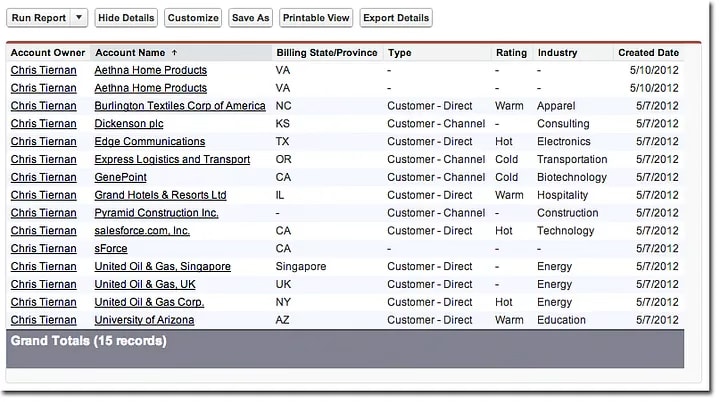
Tabular reports are the simplest and fastest way to view data. Similar to a spreadsheet, they consist of an ordered set of fields in columns, with each matching record displayed in a row. Tabular reports are best for creating record lists or a list with a single grand total. They cannot be used to group data or create charts, and they cannot be added to dashboards unless rows are limited. Common examples include contact mailing lists and activity reports.
Summary Reports
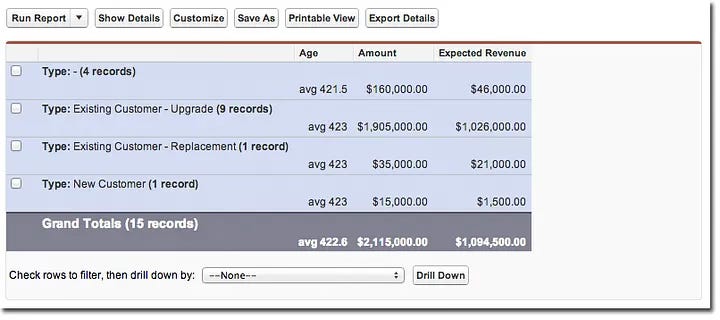
Summary reports are similar to tabular reports, but they also allow users to group rows of data, view subtotals, and create charts. They can be used as the source report for dashboard components. Summary reports are useful when you want to show subtotals based on a particular field or create a hierarchical view, such as all opportunities for a team subtotaled by stage and owner.
Matrix Reports
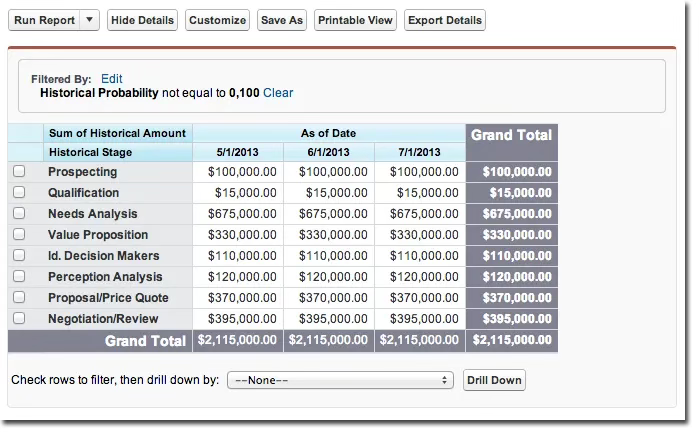
Matrix reports are similar to summary reports, but they allow data to be grouped and summarized by both rows and columns. They can also be used as the source report for dashboard components. Matrix reports are especially useful when comparing related totals across large volumes of data, or when you want to analyze information by date and by product, person, or geography.
Joined Reports
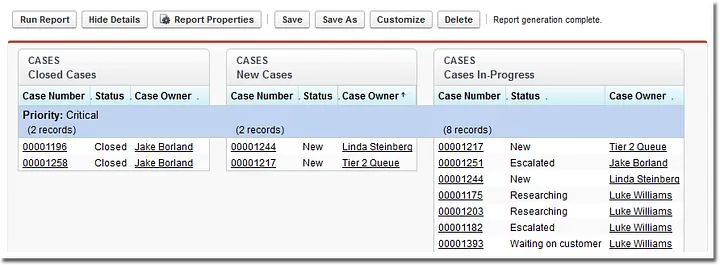
Joined reports allow you to create multiple report blocks that provide different views of the same data. Each block functions like a sub-report, with its own fields, columns, sorting, and filtering. A joined report can even include data from different report types.
Report Security
Salesforce security extends naturally into reports to ensure that users only see data they are authorized to access. This includes records they own, records they have read or read/write access to, records shared with them, and records owned by or shared with users in roles below them in the hierarchy. In general, if a user can view the data, they can report on it.
In addition, users can only view fields that are visible through page layouts and field-level security settings. Field-level security is available in Enterprise, Performance, Unlimited, and Developer Editions, and can be added to Professional Edition for an additional fee.
Getting Started with Reports
Salesforce makes it relatively easy for users to run reports through an intuitive Report Builder. When creating reports, it helps to have someone who understands the objects being reported on and how those objects relate to one another. In other words, familiarity with the data model is important. This may be the owner of the data or the Salesforce Administrator.
Salesforce comes preconfigured to report across all standard objects. As a starting point, I recommend using standard reports as the foundation for your custom reports.
I hope you found this introduction to Salesforce reports helpful. I also encourage you to review Salesforce’s Quick Start series on Reports and Dashboards to learn more about this important capability.